The Best Nesting Software for Laser Cutting (2026)
Good nesting software can make or break a shop's profitability. Here is how industrial heavyweights, cloud tools, open-source apps, and CAD plugins actually stack up in performance, usability, and the critical features they are missing.

Good nesting software can make or break a shop's profitability. The core goal is always the same: get more parts from a sheet and reduce machine time. But finding the best nesting tool for laser cutting, plasma, or CNC routing is usually harder than it sounds.
Most reviews just highlight the best features of popular apps. They rarely talk about the hidden limitations, workflow bottlenecks, and missing tools that shops only figure out after they have paid for a license.
We decided to take a hard look at the current market. From traditional industrial heavyweights to modern cloud tools and free open-source software, here is how they actually stack up in terms of performance, usability, and the critical features they are missing.
Quick Comparison: The 6 Categories at a Glance
Before diving into individual tools, here is how the six predominant market tiers compare on platform support, primary strengths, and their most noticeable drawbacks.
| Tier & Category | Representative Apps | Environment | Best For | The Critical Gap |
|---|---|---|---|---|
| 01 The Industrial Heavyweights | SigmaNEST, ProNest, Lantek | Strictly Windows (high-end workstation) | Massive multi-machine production, ERP integration | Trade speed and agility for enterprise control; heavy overhead and high cost for simple jobs. |
| 02 The Cloud & Web Innovators | Nest&Cut | OS-independent (Browser: Chrome, Safari, Edge) | Fast zero-install nesting, automatic part healing | Zero offline capability; shop grinds to a halt if the internet connection drops. |
| 03 The Maker & Open-Source Tools | Deepnest, SVGnest | Windows, macOS, Linux (Deepnest) / Browser (SVGnest) | Free geometric packing, cavity / part-in-part nesting | No G-code generation, missing kerf compensation, no lead-in/lead-out cut controls. |
| 04 The Design-Native Plugins | eCut (CorelDRAW / Illustrator) | Windows-based host plugin | Sign makers, acrylic, vinyl, graphic design workflows | Highly niche; lack industrial parameters for heavy metal fabrication or sheet tracking. |
| 05 The Mid-Market & Pay-Per-Use | MyNesting, NestFab | Windows | Affordable entry, automated batch runs without enterprise lock-in | Pay-per-export model escalates quickly if volume spikes, outpacing flat perpetual licenses. |
| 06 The CAD-Integrated Ecosystems | Autodesk Fusion 360 & Inventor Nesting | Windows (Inventor), Windows & macOS (Fusion 360) | Product assemblies with parametric 3D-to-2D sheet sync | Tied to expensive recurring cloud subscriptions; slow for quick floor-level 2D DXF cutting. |
1. The Industrial Heavyweights (SigmaNEST, ProNest, Lantek)
These platforms are the legacy giants of the metal fabrication industry. They are designed to run massive, multi-machine factories and integrate deeply with enterprise resource planning (ERP) systems.
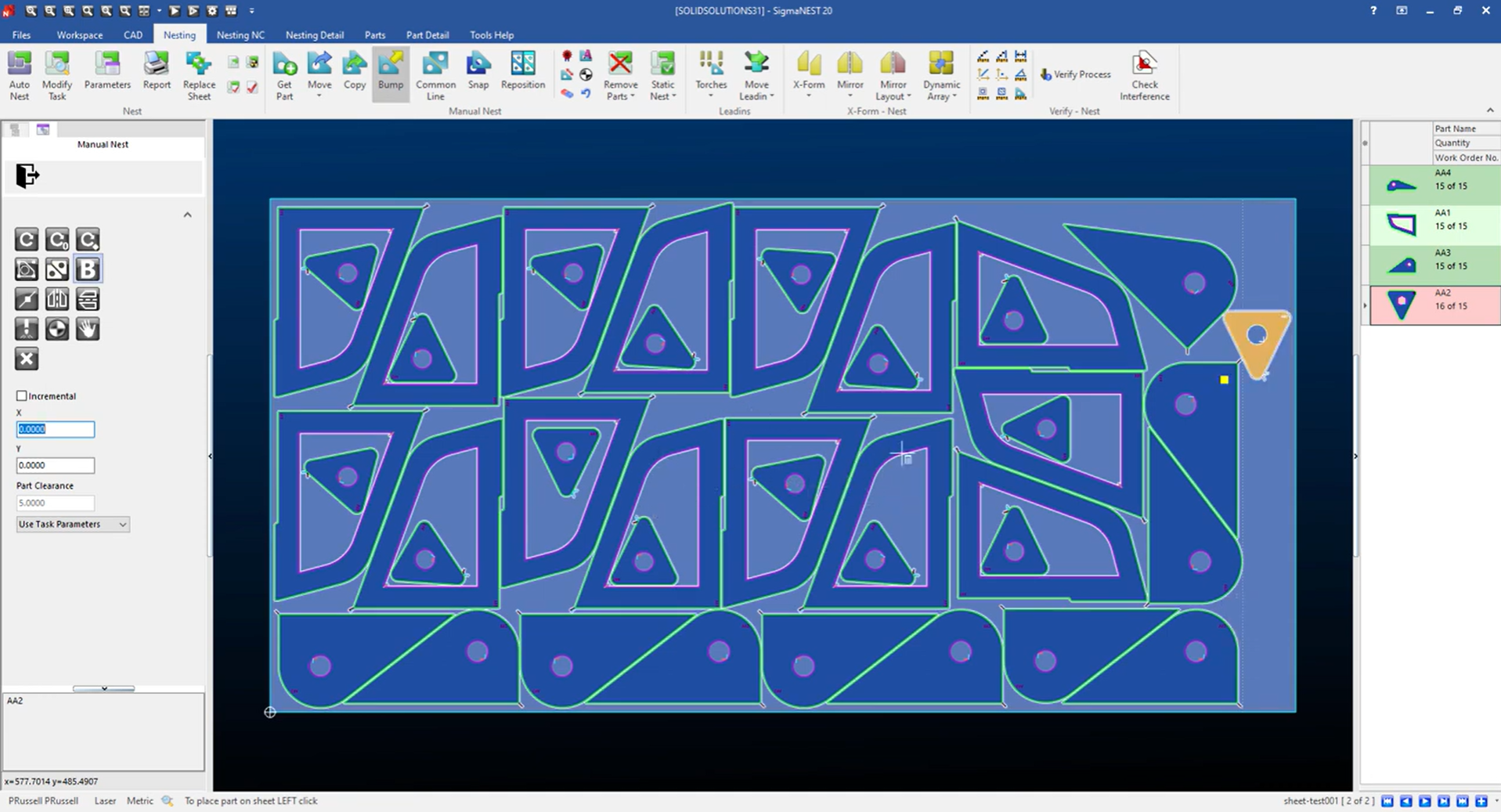
Performance: They get excellent material yield on massive, multi-sheet production runs using true-shape nesting. But for a quick, single-sheet job, they actually slow you down because of how much setup and menu clicking is required just to run a basic nest.
Usability: This is where they struggle most. These programs are heavy and packed with features you might never use. They require dedicated high-end workstations and weeks of training. They are built for dedicated CAD/CAM programmers, not for a floor operator trying to drag, drop, and cut a part in under a minute.
2. The Cloud & Web Innovators (Nest&Cut)
Unlike older desktop software, these tools run the nesting calculations on cloud servers, so you don't need a high-end workstation just to get the job done.
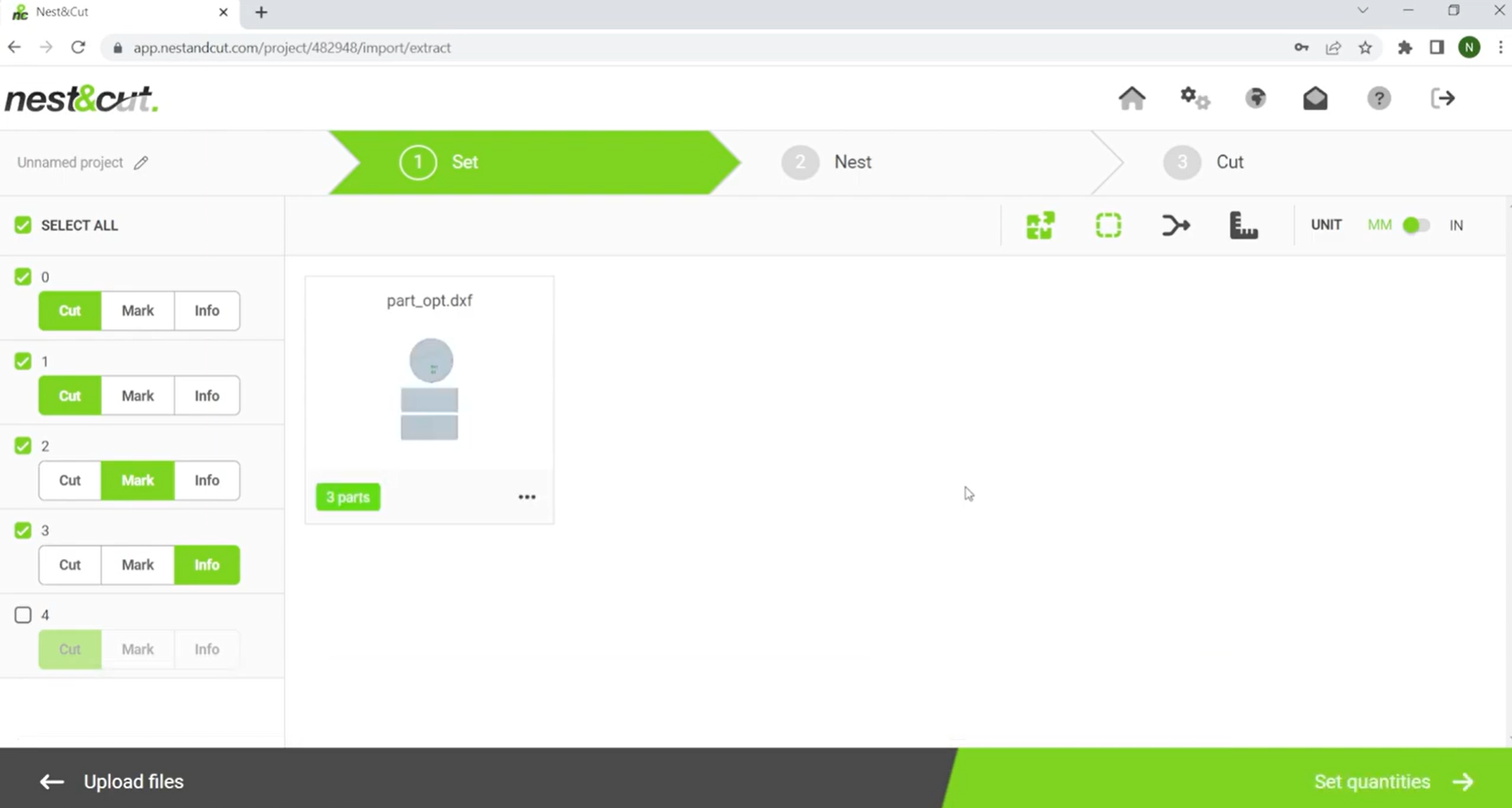
Performance: Processing is usually very fast because they offload the heavy algorithmic math to powerful cloud servers instead of relying on your local computer.
Usability: Highly accessible with clean, modern interfaces. They strip away the bloat of traditional software, making it easy for a beginner to just upload files and get a nest quickly.
3. The Maker & Open-Source Tools (Deepnest, SVGnest)
These are the go-to free tools for makers and hobby laser engravers. They do a great job packing shapes tightly, but they lack the machine-level settings and precision you need in a commercial shop.
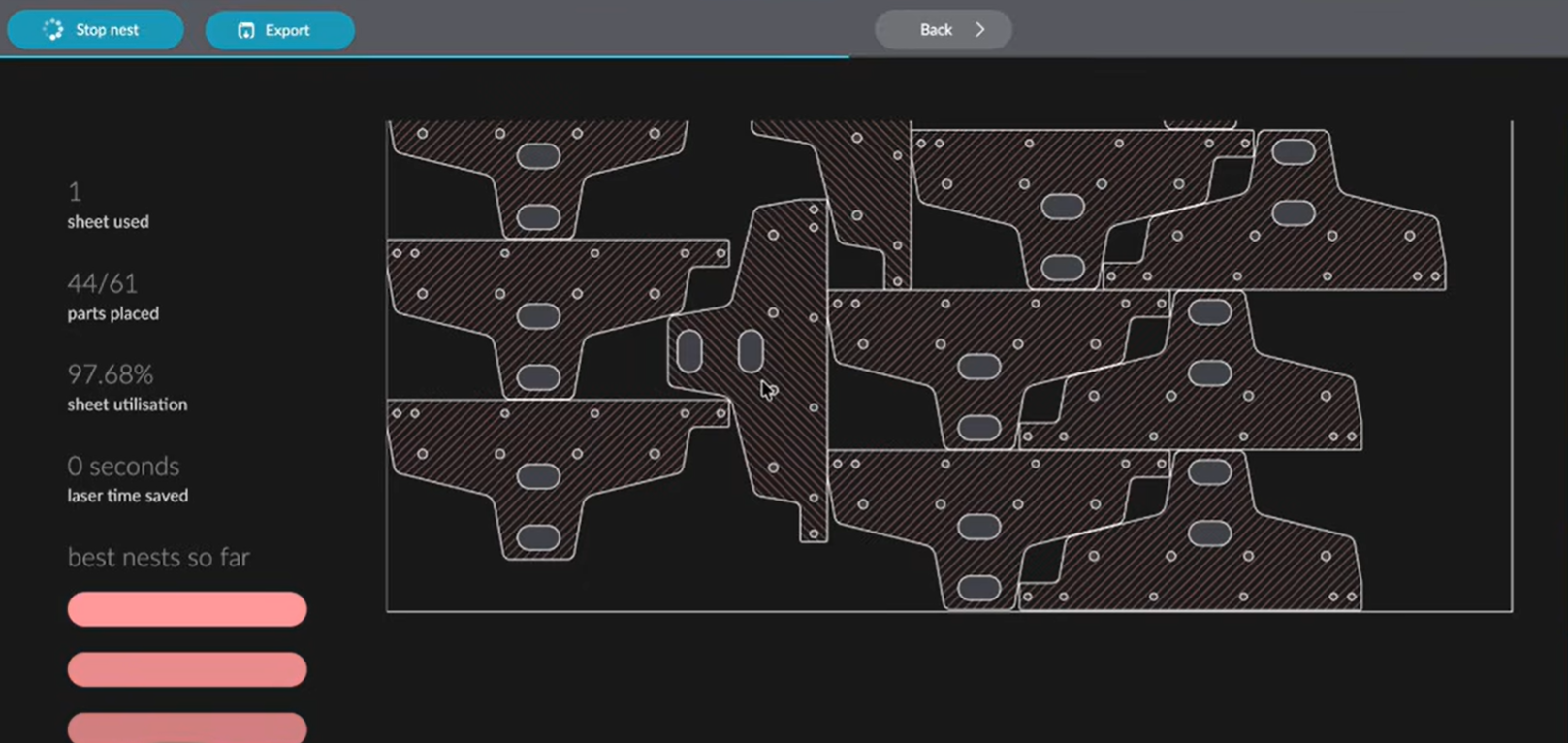
Performance: On simple shapes the packing is genuinely good: they find negative space and tuck small parts into gaps. Speed is the trade-off. Deepnest improves a layout by trying arrangement after arrangement, so on complex production parts it can take minutes to approach a nest that faster engines reach in seconds, and leaving it running longer doesn't always get you there. Of the tools in this guide, it is likely to be one of the slower ones, and its exports are worth checking before they go to the machine.
Want the numbers? Our Deepnest vs Kenzap Nesting case study runs a real 61-part production job through Deepnest, Deepnest-next and Kenzap Nesting, with timings, screenshots and the exported DXFs. Kenzap builds Kenzap Nesting, so read it as one data point.
Usability: The interfaces are incredibly simple, but they force a fragmented workflow. Because they aren't true CAM software, you have to export the nested file and bring it into a secondary software to actually prep it for the machine.
4. The Design-Native Plugins (e.g., eCut)
Instead of forcing users to learn a separate CAD/CAM environment, these tools plug directly into the graphic design software that sign-makers and acrylic cutters already use.
Performance: Very fast execution right inside the host application. Highly efficient for lighter materials like plastics, wood, and vinyl.
Usability: Unbeatable for graphic designers. There is no new interface to learn and no need to export files back and forth to third-party apps.
5. The Mid-Market & Pay-Per-Use: MyNesting & NestFab
These tools bridge the gap between expensive enterprise software and basic free tools, catering to small-to-medium businesses.
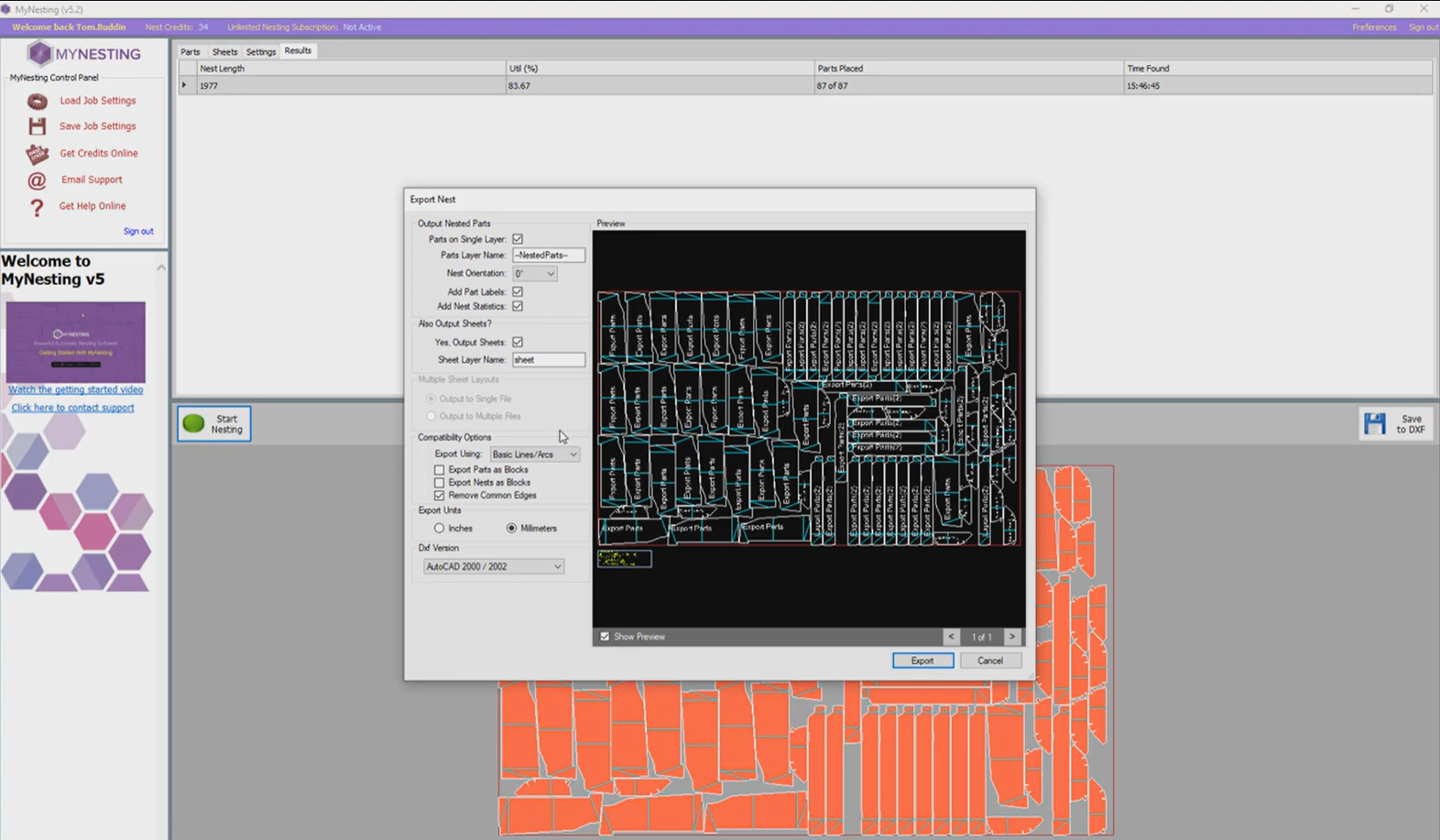
Performance: Very strong industrial-grade algorithms. NestFab, for example, is fully automated and can run batch jobs efficiently, while MyNesting uses a highly optimised cloud-assisted engine.
Usability: Much more straightforward than the heavyweights. The interfaces are clean and focus purely on getting parts onto a sheet and exporting them.
6. The CAD-Integrated Ecosystems: Autodesk Fusion 360 & Inventor Nesting
Instead of exporting 2D files to a separate nesting program, these tools run directly inside your 3D CAD environment.
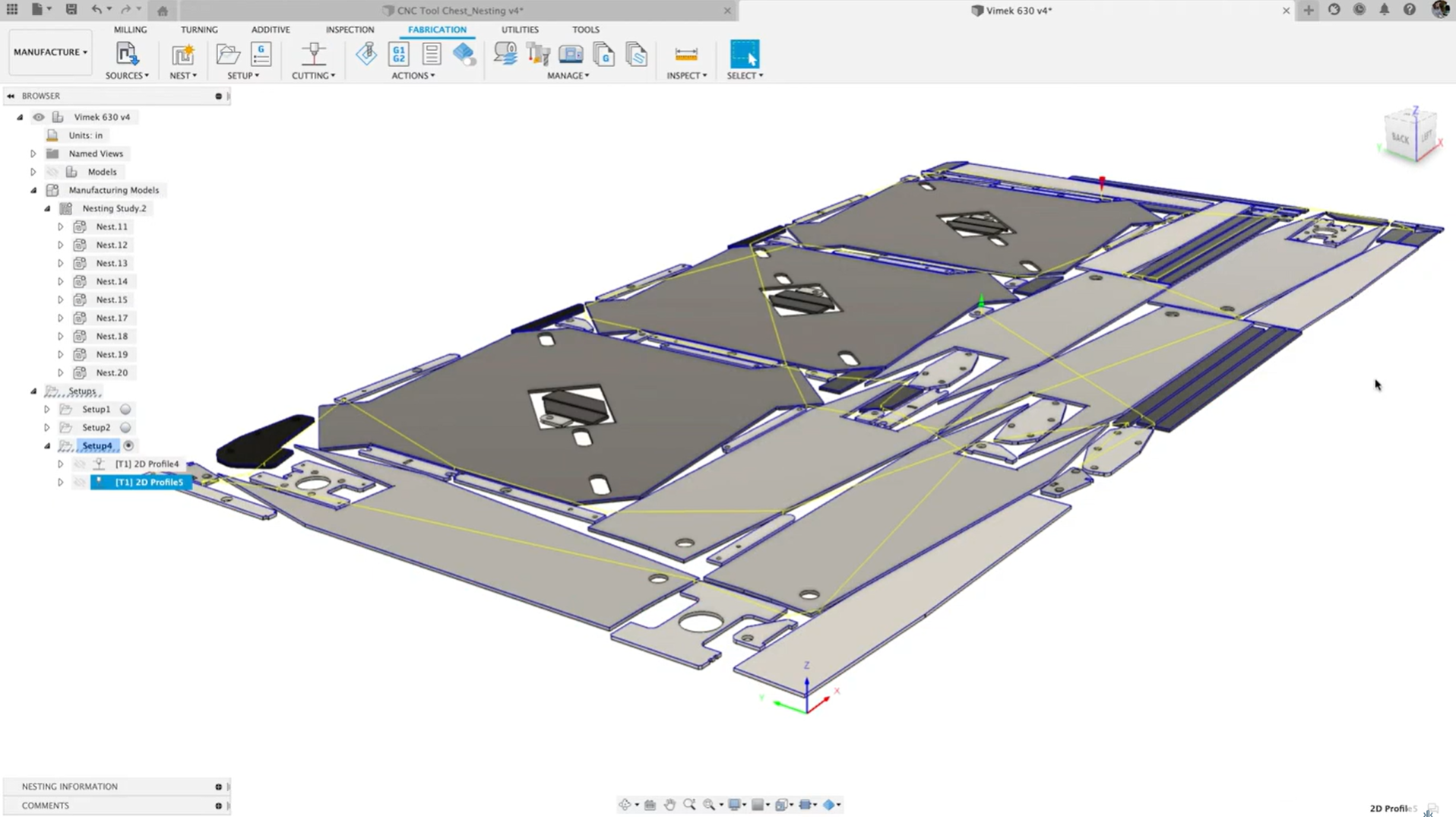
Performance: Excellent for product manufacturers. Because the nest is linked to the 3D model, if an engineer changes the size of a bracket in the 3D assembly, the 2D flat pattern and the nested sheet automatically update.
Usability: Great if you already live inside the Autodesk ecosystem. Terrible if you are a job shop that just receives 2D DXFs from clients and wants to nest them quickly without opening heavy 3D software.
The Universal Gap: The Remnant Sheet Reality
Whether a shop is running a $15,000 enterprise suite or a free open-source tool, almost every nesting program makes the same flawed assumption: that you are cutting on a perfect, brand-new rectangular sheet of material.
Racks are full of irregularly shaped off-cuts and scrap pieces. Most software still treats them like trash.
Anyone who has stepped onto a shop floor knows the physical reality is completely different. Racks are full of irregularly shaped off-cuts and scrap pieces. The fact that most software still can't easily map an odd-shaped remnant and dynamically nest onto it remains one of the biggest sources of wasted material in fabrication today.
Every nesting engine starts here: a fresh 3000 × 1500 mm sheet. All 111 parts fit in the first 2.32 m.
What's actually on the rack: last week's leftover. Stepped edge, old cut-outs, a sheared corner, and still 76% of a sheet of good metal.
Most software only accepts a rectangle, so the operator measures the biggest clean one (2230 × 550 mm). The other 64% of the remnant is ignored.
Remnant-aware nesting reads the real outline and holes, then nests parts around them. 4.3× as many parts come off the same plate.
- Parts placed
- 111 / 111— / 11123 / 11198 / 111
- Stock on the table
- 4.50 m²new sheet3.44 m²remnant3.44 m²64% ignored3.44 m²whole remnant
- Material utilization
- 58%of the sheet—not nested yet28%of the remnant72%of the remnant
Zuha is a Research Software Engineer Intern at Kenzap focusing on manufacturing algorithms, CAD/CAM optimization, and digital fabrication workflows.
Try Kenzap Nesting
Experience ultra-fast true-shape nesting designed specifically for real shop floors. Built to eliminate enterprise bloat, avoid cloud lock-in, and make remnant stock profitable.